Prepare your workspace

Your Mac, ready before the meeting.

Open what you need. Hide what should stay private. Restore your workspace when you’re done.

No account requiredFree for 14 days
Download on the Mac App Store

Without DeskCue

  • 01Find the meeting link
  • 02Find and open meeting files and docs
  • 03Hide private apps and clean up the desktop
  • 04Turn on Do Not Disturb to limit notifications

With DeskCue

Everything ready.

One click.

Your complete meeting workflow

Prep. Focus. Restore.

Set it up once. DeskCue handles the work before and after every meeting.

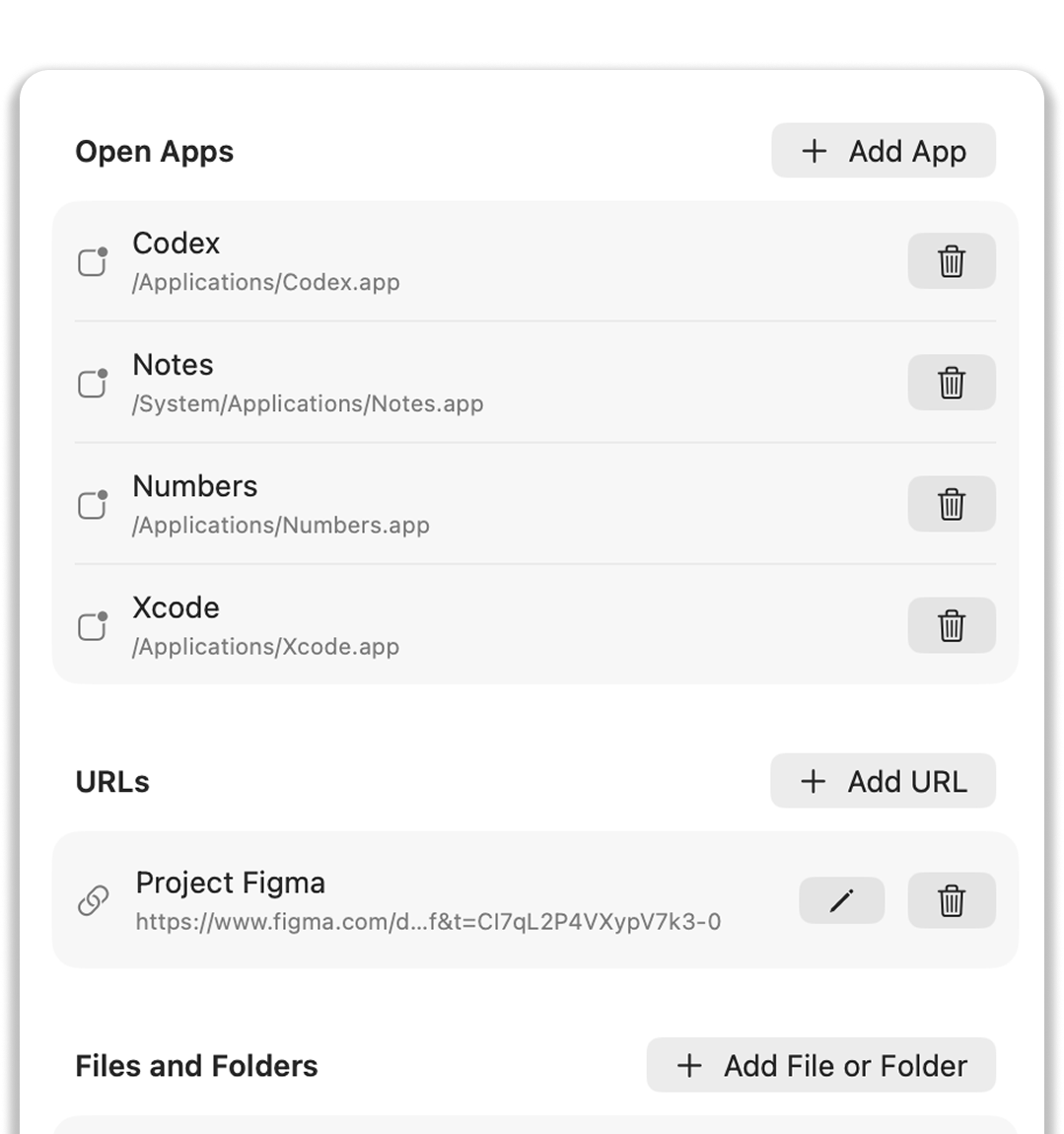
DeskCue Prep Profile settings showing apps, URLs, files, and folders configured to open
01

Prepare

Open everything you need.

Open links, apps, files, and folders together with one Prep Profile.
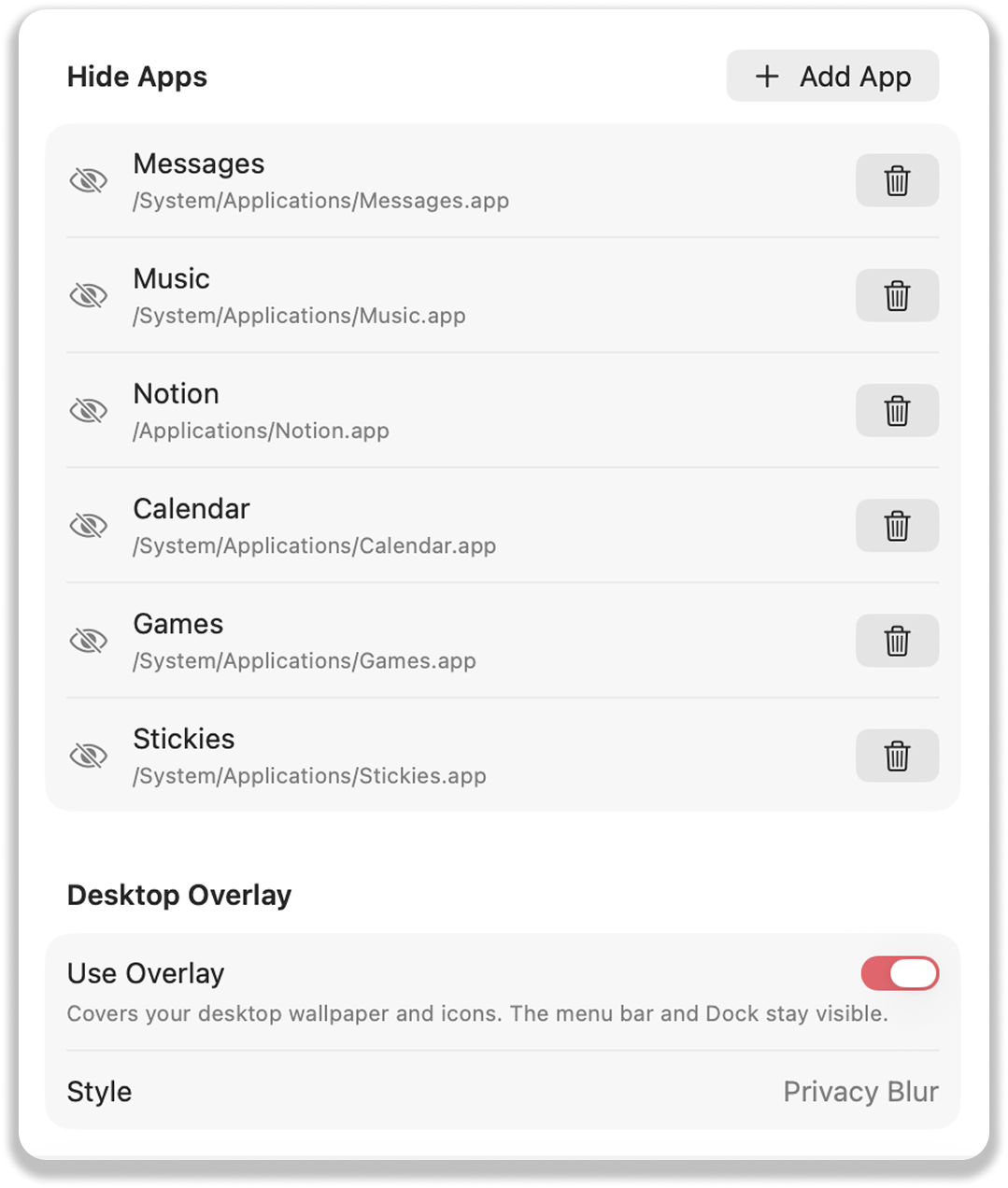
DeskCue settings for hiding private apps and covering desktop clutter
02

Focus

Clear distractions.
Stay focused on the meeting.

Hide private apps, cover desktop clutter, and limit notifications with one Prep Profile.
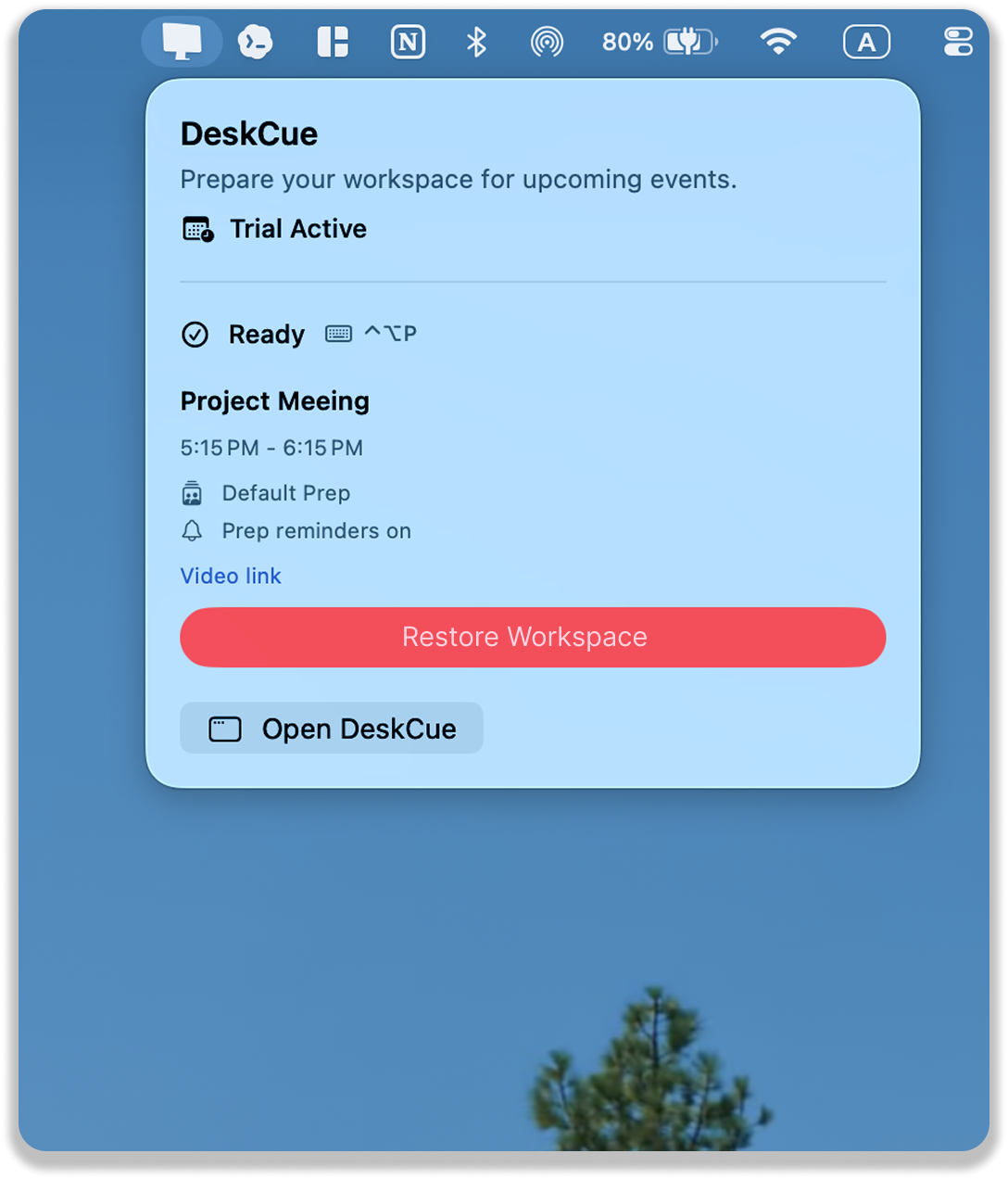
DeskCue menu bar interface with a Restore Workspace control
03

Restore

Come back to your workspace.

Restore hidden apps and clear the desktop overlay in one click.

Prep Profiles

A profile for every kind of meeting.

Save a profile for each meeting type and apply it when you need it.

Local-first

Your meeting context stays on your Mac.

Your profiles, paths, and links stay on your Mac.

Privacy
DeskCue app icon

Ready for your next meeting

Make your Mac meeting-ready.

Try every DeskCue feature free for 14 days.

View on the Mac App Store